
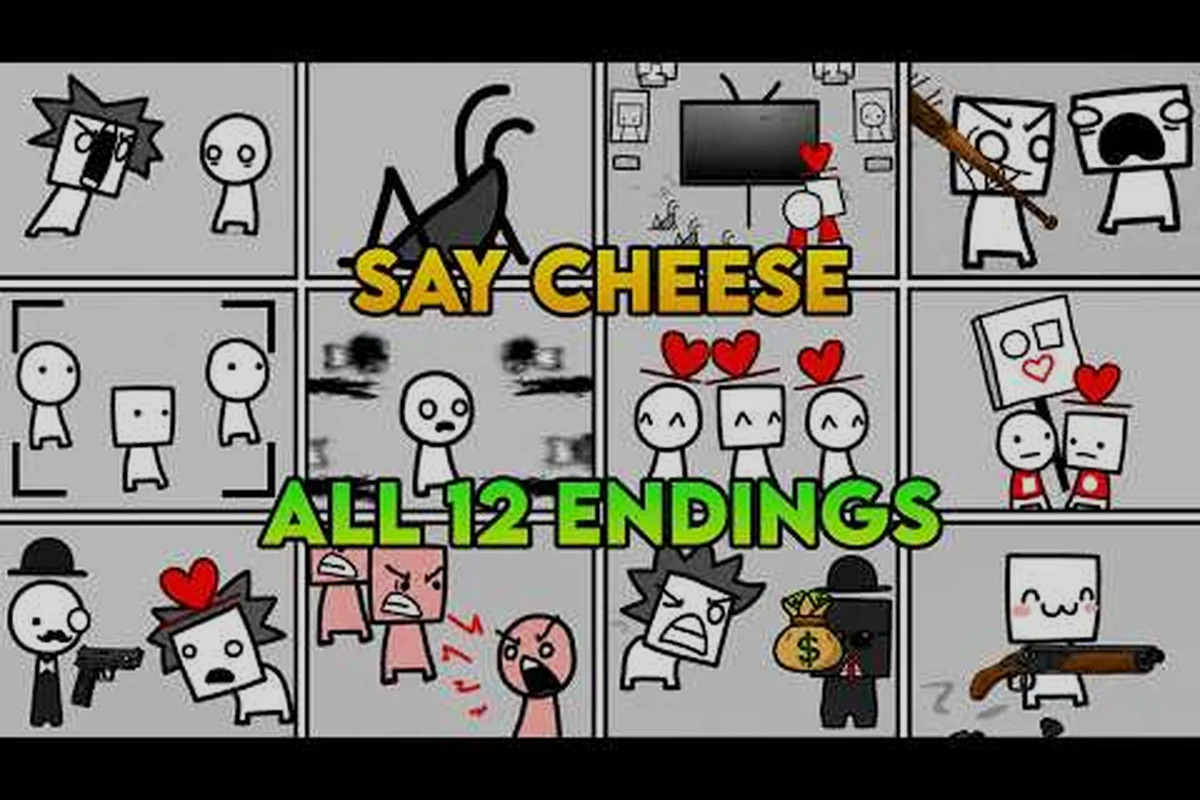
A useful Say Cheese! Roblox gameplay walkthrough records what actually happens, identifies every visible choice, and separates confirmed details from undocumented behavior. That evidence-first approach turns an uncertain playthrough into a reliable guide without guessing what the game never explains.
Designing a Useful Recorded Run
The official the official Roblox entry for Say Cheese! page establishes the premise: you play a journalist hired by a media company and sent to a park to create chaos and panic while a large audience watches the news. It also frames the central decision as either destroying the peaceful society or changing events to create hope. A recorded walkthrough should demonstrate those themes through visible actions rather than repeat promotional wording.
This distinction matters because the official page does not document the full sequence, every branch, or the cause of every consequence. The creator also has not published a list, a count, or names for the available conclusions. Community videos (as of 2026-10-31) discuss multiple endings; the creator has not published a list, a count or any ending names, so treat them as unconfirmed.
A strong run therefore documents three layers: the actions you perform, the immediate visual response, and the later outcome. Keeping those layers separate prevents you from presenting a guess as a mechanic. The result is more useful to viewers because they can compare their own experience without relying on certainty the game itself never provides.
Start With a Clean Baseline
Begin the recording before making the first meaningful input. Capture the official title screen, the moment the experience loads, and any instruction text that appears without commentary covering it. This establishes the version of the game you are documenting while giving later viewers a reliable starting point.
As of 2026-10-31, the official listing identifies the release as October 19, 2026, the creator as Mechanical Boy LLC, and the genre as Adventure and Story. Its snapshot showed 3,955,237 visits, 13,403 players, 49,747 favorites, and 12,154 likes against 1,369 dislikes. Those figures are a dated snapshot, not permanent values, but recording them in the opening description helps explain the context of the footage. Use a consistent recording checklist: Avoid describing the server’s capacity as a special cooperative feature. The official maximum-player figure concerns server capacity only, so it does not establish a cooperative design or guarantee that other players will behave consistently.
-
Baseline capture: Record the title screen and the first visible instruction before interacting.
-
Uninterrupted sequence: Preserve the opening minutes so viewers can see how the premise becomes playable.
-
Decision marker: Pause immediately after each available interaction appears.
-
Reaction frame: Capture the visible response before explaining your interpretation.
-
Context note: Record the date, platform, and whether the session used private or public server behavior.
-
Correction frame: Stop recording if an important mistake occurs and state plainly what went wrong.
Plan Around Decisions, Not Invented Details
A run plan should center on choices that are actually visible. If the game presents a dialogue option, record its exact wording and your selection. If an interaction produces an environmental response, capture it clearly. If the sequence continues without an explicit decision, state that fact instead of inventing a mechanic to fill the gap.
| Run plan | Show | Skip |
|---|---|---|
| Opening | Title screen, first prompt, player movement before the first decision | Long periods of walking with no new information |
| Decision points | The prompt, available options, selected option, immediate response | Menus unrelated to the current demonstration |
| Consequence sequence | On-screen change, new context, resulting presentation | Extended idle time once the result is visible |
| Final section | The complete outcome and a short factual summary | Speculation about unnamed locations or systems |
| Retake | A brief correction that explains the earlier mistake | Unedited dead air or loading silence |
The goal is not to produce the longest recording. It is to preserve enough uninterrupted footage for a viewer to verify the causal chain: prompt, selection, response, outcome. If that chain breaks, mark the uncertainty rather than filling it with assumptions.
Choosing Footage Worth Keeping
A complete guide should make the playable material legible. That means capturing the state before an interaction, the selection itself, and the result. The official page supports only the broad premise and choice framing, so the footage must carry the detailed walkthrough evidence.
Before recording, review the opening walkthrough for Say Cheese! on Roblox for the visible start of the experience. Use that as a baseline, but record your own session rather than assuming every interaction follows the same sequence. The game’s story framing is officially documented; the precise route through it may still need to be verified in game.
Capture Every Available Option
When a choice appears, slow down rather than reading only the option you intend to select. Full option capture should include the visible prompt, every displayed response, and the exact option selected. This is especially important for a search for every choice, because a missing selection can prevent viewers from comparing their own route.
If an option is selected automatically, describe that observation without claiming that the game “forced” it unless an explicit prompt confirms it. If a menu closes before a full selection is legible, mention the issue and include a close-up retake if practical. Precision matters more than a smooth performance.
| Decision record | Evidence to capture | Reliable wording |
|---|---|---|
| Prompt visible | The full text and surrounding scene | “The game presents these visible responses.” |
| Selection made | Cursor position, chosen line, click timing | “I chose this response.” |
| Immediate response | Visible character, camera, or environmental change | “The scene responds by doing this.” |
| Delayed consequence | Later footage that supports the link | “The later sequence presents this result.” |
| Unclear connection | Both events with the gap preserved | “The footage shows both events, but does not prove they are directly connected.” |
Do not invent labels for unnamed scenes, people, objects, or outcomes. If you need shorthand in the narration, describe its visual role instead, such as “the media-themed prompt” or “the park conversation.” A descriptive label is safe; a fabricated proper name is not.
Keep Useful Dead Time Out
Some silence is valuable because it proves the order of events. Other silence simply lengthens the video. Keep footage that helps a viewer verify timing, but remove long periods with no visible change, repeated movement, accidental menu navigation, and setup between attempts.
Do not cut so aggressively that context disappears. A jump from one option to a later result may conceal an intermediate reaction or accidental selection. When removal is necessary, use a brief on-screen note such as “short pause removed” or include a short summary in the video description. Visible continuity markers make editing honest without requiring every second to remain.
A practical rule is to retain the moment before every important interaction. That short lead-in often proves whether a response was deliberate, whether another visible event interrupted it, and whether the footage presents the choices in their real order. If the exact sequence cannot be confirmed, label it as an observation from your run rather than a universal rule.
Commentary That Adds Evidence
Commentary should explain what viewers can see, distinguish observation from interpretation, and identify uncertainty. It should not narrate every movement or invent motives for on-screen events. Because the official page does not document every interaction, a trustworthy recording depends on disciplined language.
The Evidence First Commentary Rule is simple: describe the visible action, then state what remains uncertain. Instead of saying “this choice destroys society,” say “this response is followed by a sequence presenting a damaged version of the park” if that is what the footage shows. Specific observations are more valuable than dramatic summaries.
Build a Consistent Commentary Vocabulary
Use a small vocabulary that separates facts, interpretations, and questions. Observed fact means the footage directly shows it. Recorded sequence means two events appeared in that order. Interpretation means a reasonable reading of the imagery. Check in game means another run or a different visible context is needed before making a firm claim. This vocabulary reduces clickbait and keeps a recorded walkthrough aligned with Google’s helpful-content standards. It also makes the commentary useful to someone who already knows the game because they can identify exactly where interpretation starts and evidence ends.
| Commentary cue | Moment | Say | Avoid |
|---|---|---|---|
| Opening premise | Journalist role appears | “The game presents the player as a journalist working for a media company.” | “This role guarantees a specific career system.” |
| Park assignment | The official premise becomes visible | “The assignment places the journalist in a park to create disruption.” | “Every interaction causes panic.” |
| Choice appears | Multiple responses are displayed | “These are the visible options in this recording.” | Inventing an unstated explanation for each option |
| Major change | The scene visibly transforms | “The footage now presents this result.” | Naming the result with an unsupported label |
| Unclear cause | A cut or transition interrupts the chain | “The connection is not confirmed from this footage; check in game.” | Claiming certainty from editing alone |
| Final outcome | Run reaches its conclusion | “This run ended here after the selected responses.” | Promising the same result for every route |
Explain the Decision, Not Just the Click
Say why you selected an option only when the reason is grounded in the visible narrative. For example: “I chose this because the wording responds to the journalist’s assignment and leads into the next filmed sequence.” Avoid presenting personal preference as the objectively correct response.
For a run intended as the Say Cheese! Roblox complete guide, include a decision recap after the footage. List each visible prompt in order, the response selected, and the observed outcome. This small log gives viewers a navigable summary while the recording remains the primary evidence. It also makes the video easier to update if the creator changes the experience later.
Record the date whenever behavior may change. The official listing was last updated on October 31, 2026, and no public changelog was available there at that time. A dated recording gives viewers context without claiming that future versions will behave identically.
Separate Community Claims From Direct Evidence
Community material can help identify questions worth investigating, but it should never replace the recorded session. The community videos available to this article are third-party coverage, not official documentation, so their claims require verification in game. Do not repeat their conclusion names or counts as established facts.
Use phrases such as “community reports as of 2026-10-31 suggest testing this sequence” or “the recorded footage does not confirm that claim.” If community experience conflicts with what you see, preserve both facts. The older first-playthrough reference for Say Cheese! can help frame expectations, but your footage remains responsible for describing the version you actually played.
Editing Without Distorting
Editing should clarify the causal sequence, not manufacture suspense or conceal errors. A useful Say Cheese! Roblox 100 percent evidence package may include a complete play session, marked decision points, and a separate condensed version. Both should make it easy to verify what happened.
Begin with the full recording. Do not edit the only copy, because you may need to restore context after discovering that a transition carried important meaning. Create a working copy, mark the opening, major visible changes, explicit choices, and the final outcome, then work from that timeline.
Make Cuts Transparent
A cut should remove only repetition, waiting, or a clearly identified mistake. Keep the screen visible before and after the edit, and explain missing material in the narration or description. Transparent cuts preserve trust because viewers can distinguish editing from an in-game transition.
Avoid jump cuts between an option and its response. These edits can imply that the choice caused the outcome even when the recording did not establish that connection. If you compress a long sequence, use a title card that says the section has been shortened, then retain the start and end states.
| Editing pass | Keep | Change | Reason |
|---|---|---|---|
| First assembly | Full order of meaningful events | Remove accidental menu visits and long idle periods | Create a readable timeline |
| Decision markers | Prompt and selection | Shorten repetition before the cursor moves | Preserve evidence |
| Consequence blocks | Initial response and later result | Compress repeated movement with a labeled transition | Avoid implying cause |
| Correction pass | The mistake and corrected action | State the error plainly | Prevent silent misrepresentation |
| Final pass | Context, evidence, and uncertainty labels | Remove empty introductions and duplicate summaries | Improve pacing without changing meaning |
Do not add music or effects that imitate an in-game sound, and do not use a dramatic visual effect to imply danger, success, or failure unless the game itself visibly established that result. Any edited graphic should remain clearly separate from the gameplay image.
Keep an Audit Trail
Save a short log beside the finished video with the recording date, visible version information, a list of cuts, and the text of each displayed option. This audit trail makes corrections faster and supports a claim of completeness. Reproducible evidence is more valuable than an unsupported “perfect” label because another creator can compare the same visible prompts.
Label the run as a single recorded playthrough unless you have additional footage. If you combine sessions, state where the switch occurs and explain why. Do not splice two routes into one narrative while implying they were continuous. The safest wording is that a sequence from one recording is followed by another recording, with the transition identified.
When a response or outcome cannot be read clearly, add a note rather than recreating the text from memory. If you conduct a retake, keep the original mistake clip when it demonstrates a point. The new-player guide for Say Cheese! on Roblox can help identify which details should be checked before recording, while the final video should still show what your session actually displays.
Publishing a Run People Can Trust
Publishing is part of the walkthrough. A clear title, accurate description, visible caveats, and a decision index make the footage easier to discover and verify. Trust comes from stating what the recording proves, what it does not prove, and which version produced the visible behavior.
Do not promise that every choice has been cataloged unless you personally verified that claim in the game. Evidence-matched claims should describe the exact recording: “This video documents the visible options in one complete session,” for example, rather than claiming to represent every route. Community reports can motivate additional testing, but they do not make a statement official.
Build an Honest Video Description
The description should begin with the premise, identify the recording date, and summarize what the viewer can inspect. Include the official source once as a citation, then list any external claims as unconfirmed community context. Keep labels such as “not documented” attached to information the official page does not explain.
If your objective is to review Say Cheese! Roblox all choices, the description can state whether the footage contains every visible option in that session. It should not say “all choices in the game” unless you have independently confirmed that scope and can support it with evidence. Precision builds confidence and prevents a promising headline from misleading viewers.
Verify the Upload Before Release
Check the video against the footage and written description. Open the chapter list, click each timestamp, and confirm that it points to the intended event. Make sure captions do not turn cautious observations into definite claims. A small mismatch can undermine an otherwise careful recording.
| Publishing checklist | Standard | Why |
|---|---|---|
| Title | Names the game and describes the recorded format | Sets accurate expectations before the click |
| Description | States date, premise, scope, and uncertainty | Gives searchers usable context |
| Decision index | Matches every visible choice in the session | Helps viewers review responses quickly |
| External citation | Links only to the official game page | Keeps the source appropriate to the claim |
| Community claims | Marked as unconfirmed when not directly observed | Protects against misinformation |
| Cuts | Disclosed rather than used to imply cause | Protects the recording’s integrity |
| Thumbnail | Uses an accurate, non-graphic frame | Avoids promising content the video lacks |
| Captions | Match the visible sequence and correct names | Improves accessibility and comprehension |
| Ending statement | Describes the observed result without a count | Avoids unsupported certainty |
| Archive copy | Description and notes saved with the source | Makes later verification easier |
Before uploading, verify that the title, caption, thumbnail, and summary all describe the same session. Search phrases may appear naturally in metadata and headings, but body copy should remain readable rather than becoming a checklist of terms. The point of a Say Cheese! Roblox gameplay walkthrough is to help someone understand the recorded experience, not simply repeat keywords.
Add a Decision Index
A decision index turns raw footage into a searchable walkthrough. List each visible prompt, the selected response, the approximate timestamp, and a factual note about what happened next. If a segment lacks a clear timestamp, mark it plainly rather than inventing precision.
For viewers comparing outcomes, add a short Session Result paragraph after the index. Explain what the recording presents at the end and which details remain undocumented. Avoid statements about what every other route will produce. This approach turns the recording into a reference artifact: another creator can use it to plan a comparison run and identify questions that require fresh evidence.
Community videos (as of 2026-10-31) discuss multiple endings; the creator has not published a list, a count or any ending names, so treat them as unconfirmed. That sentence belongs in the description only when discussing source limits, not as a dramatic teaser. The uploaded content should remain grounded in your footage.
A Clear Record Beats a Guessed Guide
The strongest Say Cheese! Roblox gameplay walkthrough preserves the exact sequence of visible prompts, selections, responses, and outcomes while clearly marking anything the official page does not document. By recording the baseline, capturing every option, explaining the evidence, and disclosing edits, you create a guide viewers can check rather than merely trust.
That discipline also provides a sound foundation for a Say Cheese! Roblox every choice comparison project. Start with one honest run, preserve the source material, label uncertainty, and expand only after verifying new behavior in game. The result is not just a playthrough; it is a transparent record of what can actually be shown.
Frequently Asked Questions
What should a Say Cheese! Roblox gameplay walkthrough show?
A useful recording should capture the title screen, opening instruction, every visible choice, the exact selected response, and the immediate on-screen reaction. It should also preserve the final result and disclose any cuts. This creates a verifiable sequence instead of relying on narration that claims certainty the footage cannot support.
How do I make a complete guide without guessing at undocumented details?
Separate direct observation from interpretation. Describe what the game visibly presents, label your reading of it, and use “the official page does not document this; check in game” when a detail remains uncertain. Save the unedited session, maintain a timestamped decision index, and compare additional runs only when they are clearly identified as separate recordings.
Is every choice visible in one Say Cheese! Roblox playthrough?
That cannot be confirmed from the official page alone. One session may present options that another session does not, so record each available response and check additional runs before claiming complete coverage. The official creator has not published a comprehensive option list, and community videos should be treated as unconfirmed prompts for further testing rather than definitive proof.
Should I edit out mistakes from a recorded walkthrough?
You may shorten mistakes, but do not remove them without explanation. Preserve the original file, state what was wrong, and show the corrected attempt if it helps explain the result. Transparent corrections help viewers distinguish an in-game consequence from a recording mistake and keep the Say Cheese! Roblox complete guide credible.
How should I describe an outcome when the creator has not named it?
Describe the visible sequence in neutral terms, such as what the scene presents after your final choice. Do not invent a formal name or count. Community videos (as of 2026-10-31) discuss multiple endings; the creator has not published a list, a count or any ending names, so treat them as unconfirmed.