
A Say Cheese Roblox restart can mean leaving the current server or resetting progress, and those actions are not necessarily the same. Learn which state a rejoin changes, what remains uncertain, and how to test safely before making a deliberate reset.
What Restarting Means on Roblox
A Say Cheese Roblox restart is usually a platform-level action: you leave the experience and enter it again. The official Roblox page describes a story about a journalist hired by Big Media, sent to a park to spread chaos and panic while billions watch the news, but it does not document a dedicated restart command, a restart menu, or a formal reset process.
That distinction matters because a fresh server visit and a confirmed progress reset are different things. Leaving a server ends your current session and may reload your player state, yet the game’s persistence behavior is not documented on the public page. The safest approach is to test the observable result rather than assume that rejoining erases everything.
| Method | Certain effect | Uncertain |
|---|---|---|
| Leave the current server | Ends your active session | Whether in-game state is retained |
| Rejoin the same experience | Creates a new visit to the experience | Whether the server and state are identical |
| Use an in-game restart control | Starts the action the game exposes | Whether it changes saved state; check in game |
| Reset or delete local Roblox data | Removes locally stored platform data | Whether any server-side state is affected |
| Create or use another account | Gives you a separate player identity | Whether the account matches the original setup |
Roblox restart versus a fresh account
Roblox players generally use the word “restart” for several different actions. One action is leaving and rejoining an experience. Another is changing the server or player session, while a more destructive action involves removing local platform data or changing accounts. These choices should not be treated as interchangeable.
The distinction is especially important for Say Cheese! because the official page identifies the experience as an Adventure/Story release with a binary framing: the player can help destroy the peaceful society or change fate to bring hope. The page does not explain whether your current decisions carry over between visits, so there is no officially documented “restart all progress” control to rely on.
What the official page establishes
The official experience page confirms the game’s title, story premise, creator, and basic platform details. As of 2026-10-31, the public page lists 3,955,237 visits, 13,403 players playing, 49,747 favorites, and 12,154 likes against 1,369 dislikes. Those figures describe the public experience snapshot, not the behavior of your individual session.
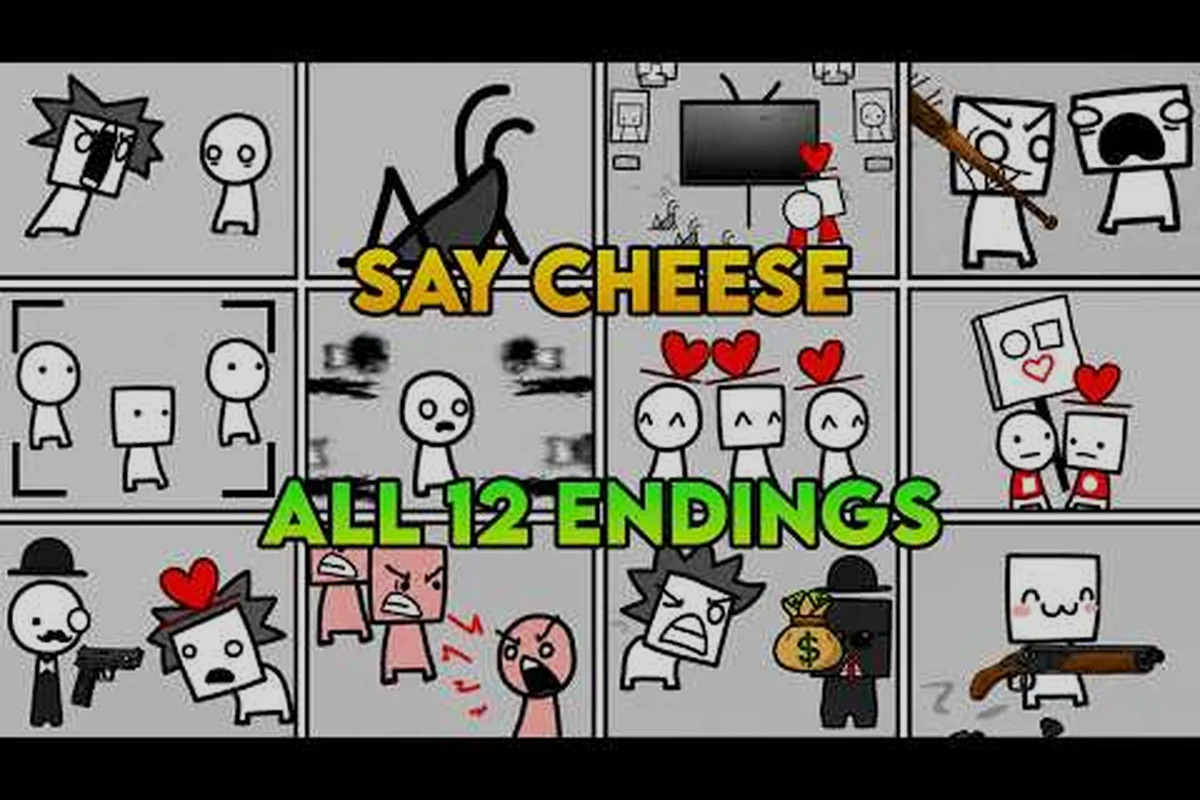
The page also lists a maximum server capacity of 12 players, which is a server-capacity setting rather than proof that any particular restart feature exists. Community videos as of 2026-10-31 discuss multiple endings; the creator has not published a list, a count or any ending names, so treat them as unconfirmed.
For identity verification, compare any page claiming to be official with the creator's public Roblox profile, checking that the linked experience, creator information, and visible Roblox group details align. This reduces the chance of confusing Say Cheese! with a same-name game, but it does not confirm whether the game supports restarting, resetting progress, saving, or using checkpoints; those claims require additional evidence.
Leaving and Rejoining an Experience
Leaving and rejoining is the most practical Say Cheese Roblox restart to test because it is reversible in time and does not require changing account settings. Before testing, note the exact point where you stopped, then leave the server and return through the official experience page.
A clean comparison requires more than simply noticing whether you return to the same place. Record the current situation, wait through the loading process, and compare what the game presents immediately afterward. Because the official page does not document a checkpoint system or session-saving rules, “check in game” is the only accurate instruction for this test.
A repeatable rejoin procedure
Use a written note before you leave. Record the current on-screen objective, any visible decision already made, and the exact wording displayed when you return. Screenshots can help, although the game’s official materials do not document whether screenshots are permitted or how they affect the experience.
| Step | Action | Record |
|---|---|---|
| 1 | Stop before making another meaningful choice | Current objective and visible state |
| 2 | Leave the server | Whether you see any confirmation message |
| 3 | Rejoin from the official experience page | Whether the same scene appears |
| 4 | Compare the returned state with your note | Same, changed, or unclear |
| 5 | Test again if the result is important | Date, time, and result |
This method is especially useful when the player has no clue whether the game saves automatically. If your notes are incomplete, you cannot distinguish a deliberate game reset from a normal scene transition. The Say Cheese! beginner guide can help you establish a clear starting point before testing.
Interpreting the first return
Suppose you leave during a sequence and rejoin to the same general situation. That suggests a rejoin did not visibly reset the relevant state, but it does not prove permanent saving because the game may not have reached a meaningful state yet. Conversely, if the returned situation differs, it still does not prove that every choice was erased unless the official page provides a specific reset description.
Treat the first return as a controlled observation rather than a verdict on Say Cheese! progress saving. For example, if you rejoin during an on-screen sequence and the same visible state is still present, that shows the server-side session continued through the transition. If those visible elements are absent, the rejoin may have triggered a server transition or reset before the state you were observing was restored. Because Say Cheese! does not publicly specify whether checkpoints persist through a restart, record what you observe in-game and avoid assuming that progress is permanently saved or erased.
-
Same visible state: The rejoin did not visibly change that state.
-
Different visible state: The rejoin or server transition affected something.
-
No visible comparison point: The result is unknown; check in game.
Avoid turning one restart observation into a universal rule about the Say Cheese! Roblox reset progress system. For example, if what you saw on screen is still there after rejoining, note what changed and what did not; a partially restored scene could reflect a server-side transition rather than a complete account-level rollback. Likewise, returning to something that looks like the same point may show that some visible state carried over within the session without proving that anything is saved permanently. Say Cheese! does not publicly document how server state, session timing, and account-level persistence interact, so treat each rejoin as a separate test: compare the visible state before and after, and record anything you cannot confirm.
What a Rejoin Definitely Resets
A rejoin definitely starts a new visit to the experience, but the phrase reset progress should be used carefully. It does not automatically mean that all story decisions or player state were erased. The official page provides no list of persistent data, saved decisions, or restart points, so the practical distinction is between session-level facts and uncertain in-game persistence.
Session-level effects
Your active connection to the previous server ends when you leave. Any moment-to-moment action attached to that server is no longer part of the current visit after the game loads again. This is a platform-level consequence of leaving an experience, not a claim about the game’s save data.
| State | Persists? | How to check |
|---|---|---|
| Active server connection | No, once you leave | Return and observe whether the scene reloads |
| Current player position in a scene | Uncertain | Record the position before leaving, then compare |
| Visible objective | Uncertain | Note its wording before and after |
| A prior decision already reflected on screen | Uncertain | Compare a screenshot or written description |
| Account access and Roblox settings | Generally yes | Confirm account and settings after returning |
| Unverified community claims about saving | Not established | Check in game and record the result |
Why “fresh visit” is safer than “fresh start”
A fresh visit means the game opens again and your character is placed into that new session. A fresh start would require the game to document that progress has been intentionally cleared. Since Say Cheese! does not do that publicly, describing a rejoin as a complete reset overstates what can be proven.
Players asking whether a rejoin will erase a particular decision should perform a narrow test: reach a clearly visible state, leave, return, and compare. If the game does not show enough information to tell, the answer remains not documented. The broader step-by-step walkthrough can help you identify an observable moment without relying on undocumented assumptions.
What the evidence cannot prove
One rejoin cannot establish rules for every version or account. The experience was released on October 19, 2026, and the available public snapshot is dated October 31, 2026. Changes after that date are not captured here. Likewise, a successful test on one device does not guarantee identical behavior on another device or connection.
You also cannot infer persistence rules from the game’s inspiration. The official page says the experience is based on We Become What We Behold, but that shared theme does not establish how Say Cheese! stores progress, handles a rejoin, or defines a checkpoint. Any article claiming those specifics without in-game evidence would be making an unsupported leap.
What May Persist and Must Be Checked
The central uncertainty is whether Say Cheese! saves your current position, completed decisions, or other story state. The official page does not document any of these details, so use a status checklist that distinguishes verified platform behavior from things you must observe personally.
Build a state checklist
Start the checklist before you leave Say Cheese so your restart test compares actual state rather than assumptions. Record only visible facts: the current scene, objective text, completed decision, and on-screen position, using a screenshot or a written line. Do not infer save behavior from icons or community labels, because the public page does not document whether a checkpoint, story choice, or server session persists after rejoining.
| State | Persists? | How to check |
|---|---|---|
| The current scene | Check in game | Compare the scene shown after rejoin |
| The current objective | Check in game | Compare the objective text |
| A completed decision visible in the story | Check in game | Note the result and inspect it after rejoin |
| The player’s on-screen position | Check in game | Record the location and compare |
| Account settings | Usually persistent at the platform level | Confirm after the game loads |
| The previous server session | No longer active | Verify that a new visit begins |
The key word in this table is check in game. It does not mean that every row is random. It means the official public page does not give enough information to promise a result. A careful check also prevents confusion between a story decision, a temporary animation, and a server transition.
Handling an unclear result
If your note says only “it looked different,” the outcome is not useful. Describe the difference with three questions: Was the scene different? Was the objective text different? Did the prior result remain visible? If those answers are also unclear, label the outcome unknown rather than assuming a reset or a save.
This distinction is helpful when someone asks about a Say Cheese Roblox checkpoint. The official page does not identify checkpoints, so you cannot safely promise that returning will place you at the last recorded moment. You can, however, create a practical checkpoint for yourself by recording the visible objective and story state before testing.
If reloading appears to freeze or interrupt normal progress, use the dedicated Say Cheese! stuck troubleshooting steps before making a larger change. A loading problem and a progress reset are different issues, so troubleshooting first prevents unnecessary account or data changes.
Preserve evidence before changing settings
Take a screenshot or write down the relevant visible state before trying platform-level resets. Roblox data handling may also involve account and device settings that are separate from the game itself. A clear before-and-after record makes it possible to identify what changed and avoids guessing based on memory.
Do not assume that deleting browser data, reinstalling the client, or changing accounts will reset Say Cheese! specifically. Those actions can affect local platform behavior, but the game’s server-side persistence rules are not documented. Treat them as platform troubleshooting methods, not confirmed ways to manipulate in-game progress.
Planning a Deliberate Restart
A deliberate Say Cheese Roblox reset progress test should answer one question at a time. Decide whether you want to compare server sessions, determine whether visible story state persists, or troubleshoot a frozen visit. Each goal needs a different stopping point and a different record.
Choose the safest method for your goal
If you only need another session, leave and rejoin. If you need to determine whether a visible decision carries over, record that decision and compare it after returning. If basic loading still fails, address platform troubleshooting before changing local data. This order protects useful information and limits unnecessary disruption.
| Goal | Method | Record |
|---|---|---|
| Start another server visit | Leave and rejoin | Time, scene, and visible objective |
| Test whether a decision persists | Reach a visible decision, then rejoin | Decision, resulting state, and return result |
| Verify a suspected checkpoint | Stop at a clear scene and rejoin | Scene text and whether it returns |
| Investigate a stuck visit | Reload or troubleshoot first | Error text and loading behavior |
| Test platform data locally | Change local settings only after recording state | Exact change and before-and-after result |
A safe three-stage plan
The first stage establishes a baseline. Record the current objective and note whether any earlier decision is visible. The second stage performs the smallest action: leave and rejoin. The third stage compares the result and classifies it as the same, changed, or unclear.
For a Say Cheese Roblox save question, this procedure is more dependable than asking whether a button labeled “save” exists. The official page does not document such a button. Watching what remains visible after a rejoin provides player-specific evidence without turning an observation into a global rule.
| Stage | Player action | Decision rule |
|---|---|---|
| Baseline | Note the current scene, objective, and visible prior result | Create a comparison point |
| Change | Leave and rejoin once | Avoid simultaneous account or device changes |
| Compare | Check the same three details | Same means no visible change; changed means visible change; unclear means unknown |
Protect an important run
If you want to preserve a useful state, stop experimenting after confirming a result. Take a clear reference image, write down the current objective, and avoid making several changes at once. Multiple simultaneous changes make it impossible to tell whether the rejoin, local settings, or another factor affected the outcome.
Also distinguish an in-game decision from your Roblox account. The platform can keep you signed in across visits, while the experience may present a different story state. Account access and story persistence are separate questions, and the public page only supports certainty about the former.
Community videos as of 2026-10-31 discuss multiple endings; the creator has not published a list, a count or any ending names, so treat them as unconfirmed. A video may demonstrate one player’s session, but it cannot replace a controlled before-and-after test for your account or current version.
A Practical Restart Decision Checklist
Use this checklist when deciding whether to leave, rejoin, or troubleshoot. It keeps the Say Cheese Roblox restart question focused on observable behavior instead of assumptions. If any answer is unknown, preserve your current state and gather more evidence before taking a destructive action.
-
Define the goal: State exactly what you expect to test, such as whether a visible objective returns.
-
Record the baseline: Note the scene, objective text, and any prior result visible before leaving.
-
Change one variable: Leave and rejoin before altering browser data, client files, or account settings.
-
Compare the return: Check whether the scene, objective, and prior visible result are the same, changed, or unclear.
-
Label uncertainty: Use “not documented” when the public page lacks the rule and “check in game” when direct observation is required.
-
Stop after the answer: Keep the reference information and avoid unnecessary additional resets.
Common mistakes to avoid
The first mistake is treating a rejoin as an officially named reset. The second is changing several things at once and then blaming the wrong action. The third is relying on an unverified community claim when the official page says nothing. These errors can lead to unnecessary account changes and make a player lose confidence in their own observations.
Another mistake is assuming that “saved” means permanent, universal, and guaranteed across every update. A persistence observation applies to the tested session and version. The experience’s public snapshot was updated on October 31, 2026, so later behavior may differ and should be checked again.
Keep the result useful
A good restart record should identify the date, the action taken, the visible state before and after, and whether the result was clear. That small log is often more valuable than a broad online claim because it can be repeated and compared. It also helps when asking about the game’s story decisions, where official details are limited. The essential takeaway is simple: rejoining starts another visit, but a full Say Cheese Roblox reset progress event is not officially documented. Use a one-change-at-a-time test, check the game directly, and preserve your notes before experimenting.
Frequently Asked Questions
Does leaving Say Cheese! delete my progress?
Leaving the active server ends that visit, but the official page does not document whether story decisions or other in-game state are erased. Record the visible objective and prior result, rejoin, and compare. If the result remains unclear, treat persistence as not documented and check in game again.
Does rejoining create a Say Cheese Roblox checkpoint?
A rejoin does not create a documented checkpoint because the official page does not identify one. You can create a personal reference point by noting the current scene, objective text, and visible prior result before leaving, then comparing those details after returning.
Will a Say Cheese Roblox reset progress work if I clear browser data?
Clearing browser data may affect local platform behavior, but it is not a confirmed way to reset Say Cheese! progress. Record the in-game state first, change only one setting at a time, and compare the result afterward; otherwise, you will not know what caused any change.
Can I save my progress before restarting in Roblox?
The official Say Cheese! page does not document a save button or permanent-save guarantee. Take a screenshot or written note of the visible scene and objective, leave, rejoin, and test whether the same state returns. The decision-path reference can also help you recognize visible outcome changes, though those details remain unconfirmed by the creator.